Matching
Human-in-the-loop product matching for retail intelligence, combining AI assistance with human validation at scale
Overview
Redesigned a complex matching workflow used by retail analysts to compare products at scale - one that broke down under real-world use. The Matching tool combines AI assistance with human validation to support fast, accurate decisions.
The goal was to reduce cognitive load, eliminate redundant data structures, and give analysts a clear, actionable view of match status across thousands of products.
- Role
- Senior Product Designer
- Client
- Daltix
- Scope
- B2B Retail Analytics Platform
- Duration
- Aug 2023 - Feb 2026
- Location
- Lisbon & Remote
Challenges
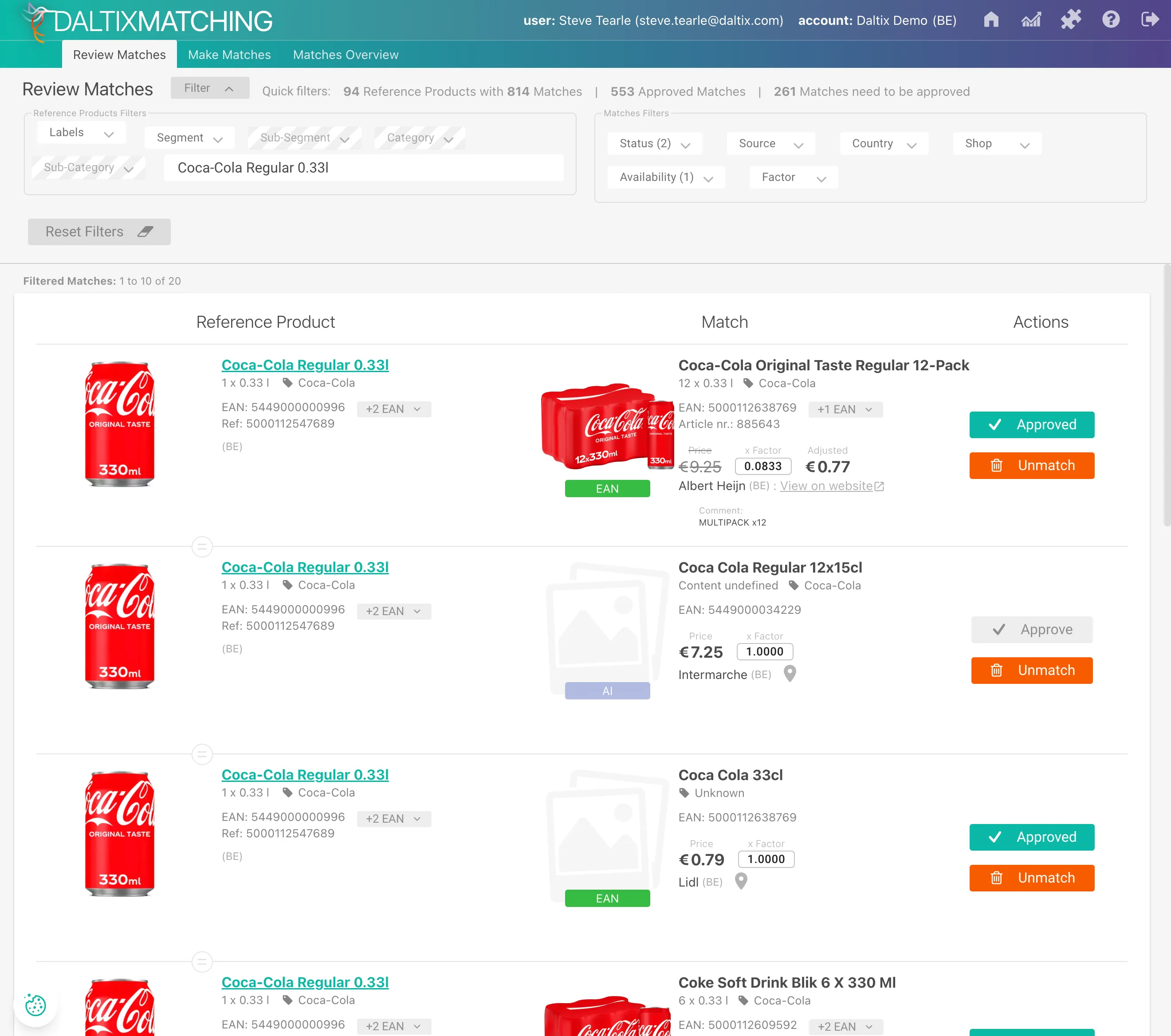
- Redundant data structures caused fragmented views and excessive pagination
- Retail attributes were misaligned, hindering side-by-side product evaluation
- Users lacked clear match status overview, slowing bulk decisions
- Interface design increased cognitive load rather than reflecting analyst workflows
Role
- Led end-to-end redesign of the Matching tool — re-architecting information hierarchy and workflow from the ground up
- Conducted user research with retail analysts to understand matching workflows and pain points
- Defined scalable design patterns for high-density data comparison across thousands of product attributes
- Collaborated closely with product and engineering teams to deliver within an MUI-based component system
- Balanced AI automation with human-in-the-loop review to ensure accuracy and analyst confidence
Solution
The redesigned Matching tool reduces redundancy, aligns data for clear comparison, and integrates AI automation with human-in-the-loop review — enabling faster, more confident decisions at scale.
Rethinking the Structure
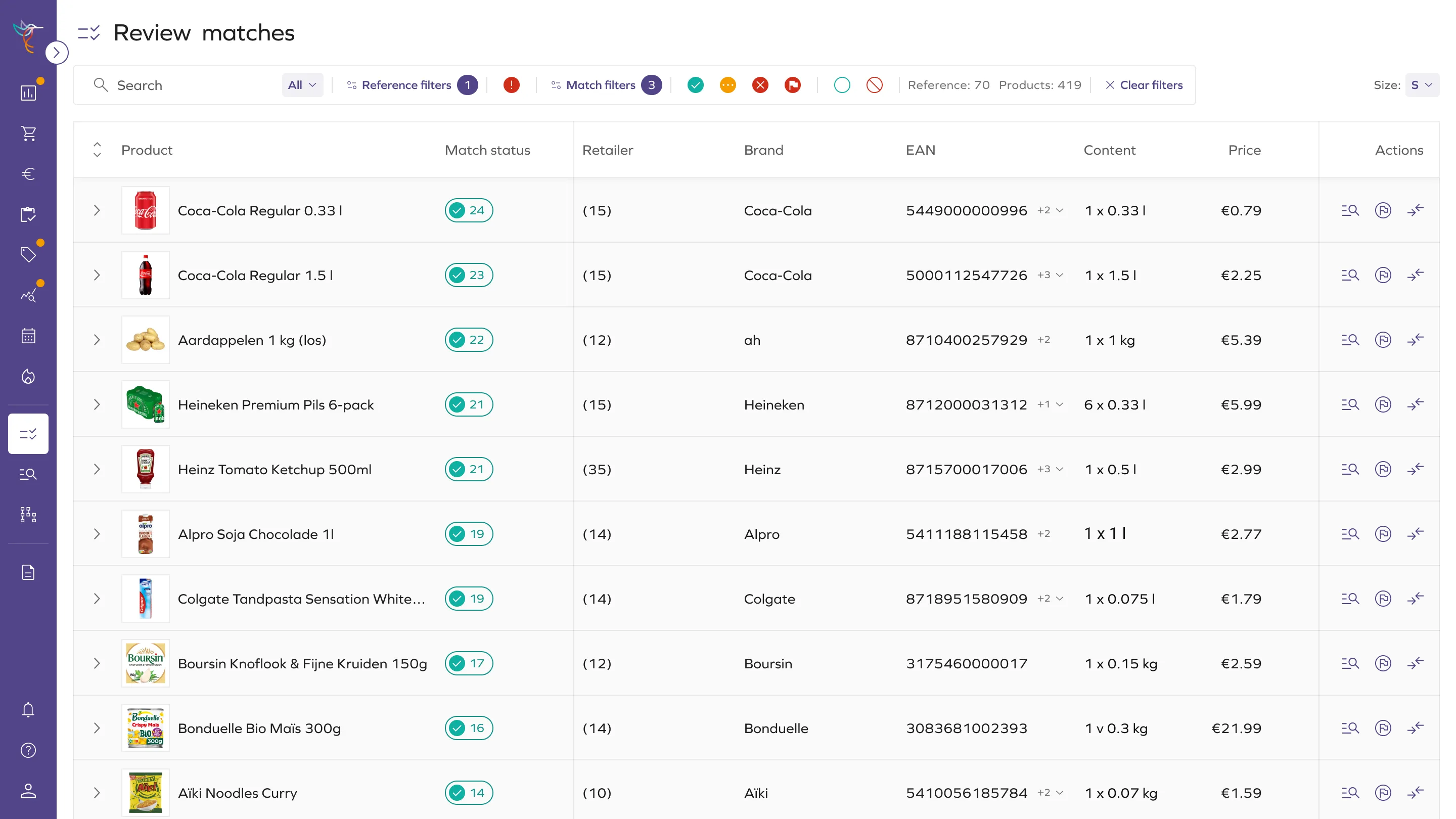
Reworked how match data is structured and displayed — replacing fragmented one-to-one rows with a scannable, cluster-based layout.
- Replaced one-to-one rows with expandable match clusters
- Increased visible references per screen from 1-2 to 10-15
- Collapsible structure for faster scanning
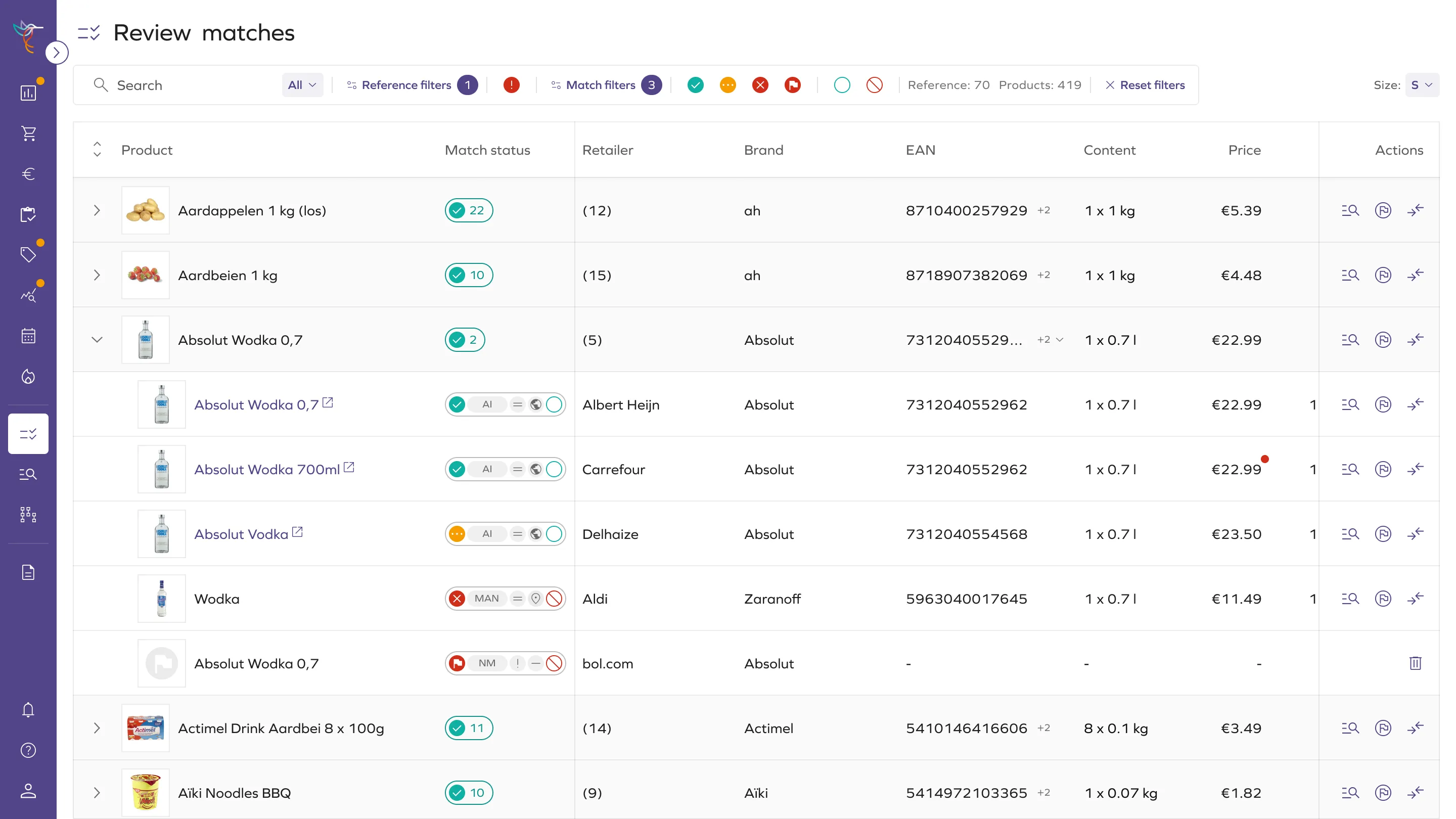
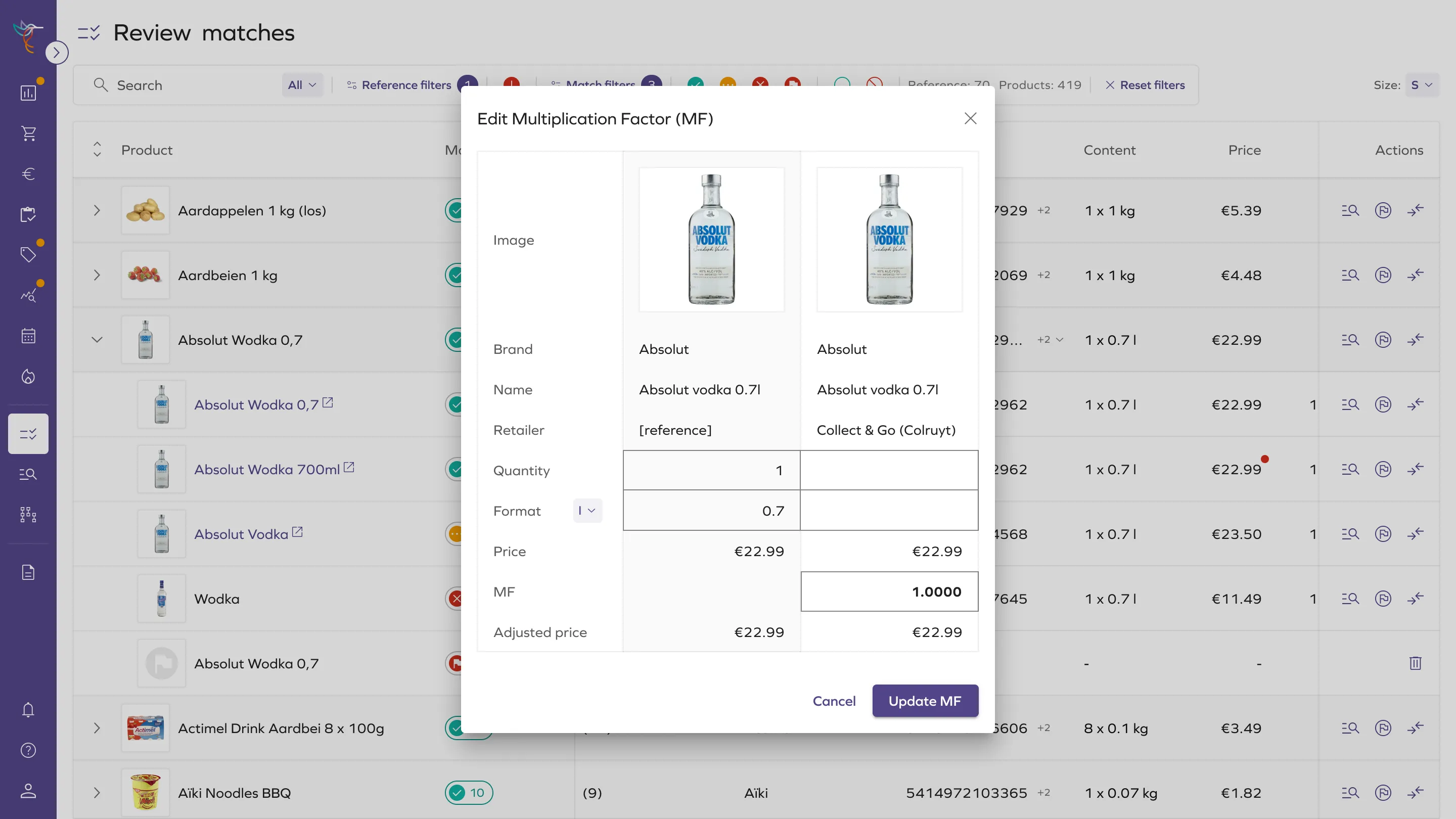
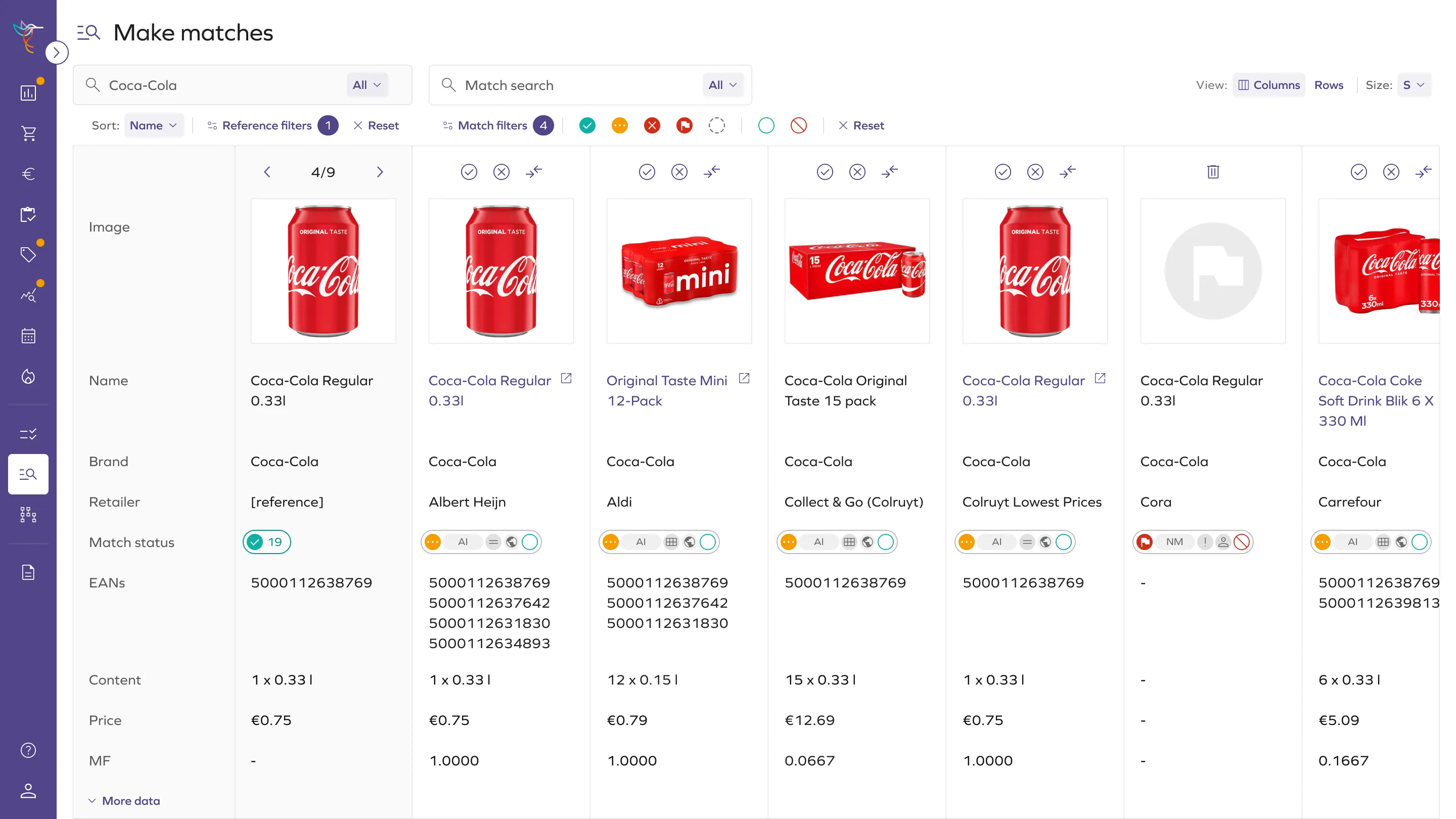
- Aligned retail attributes in a structured comparison grid
- Side-by-side product evaluation
- Flexible row sizing for product images
- In-context product search
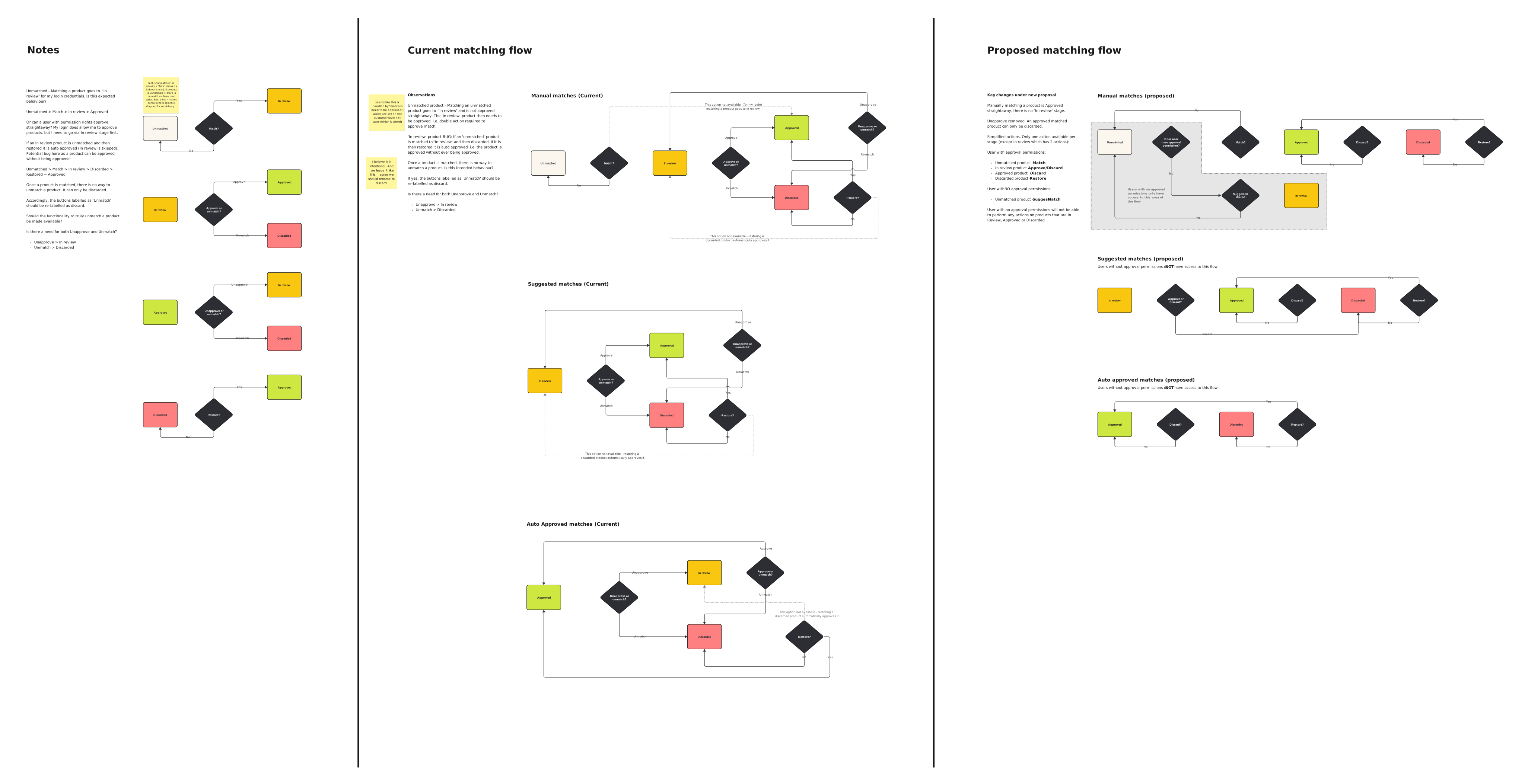
- Auto-approved high-confidence matches; flagged edge cases for review
Comparison Clarity & AI Integration
Aligned data and AI assistance to enable fast side-by-side comparison, with automation handling high-confidence matches and surfacing edge cases for human review.
Speed at Scale
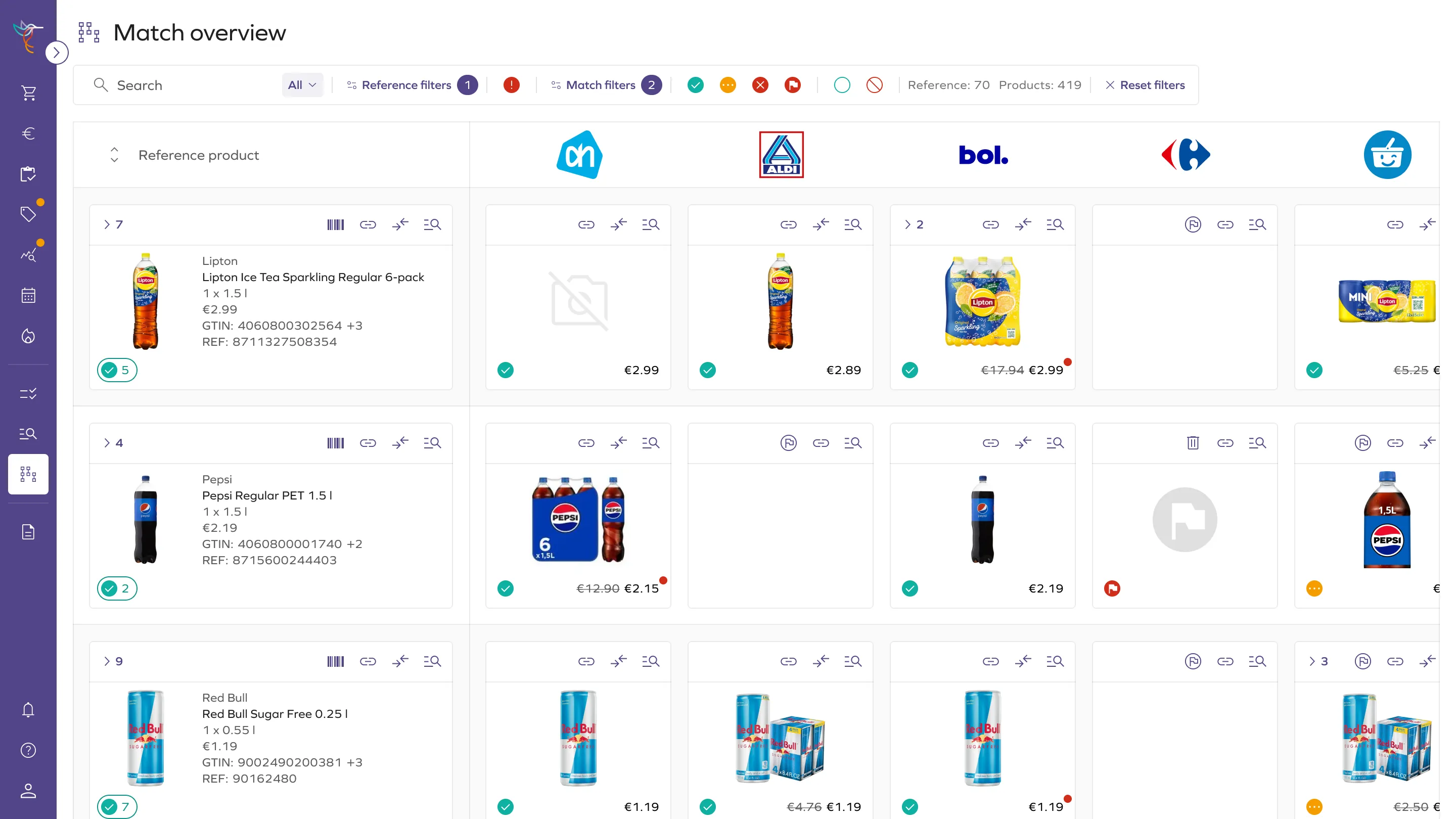
Faster bulk decisions without losing control — status visibility and bulk actions reduce the effort of processing large match queues.
- Bulk approve and discard actions
- Match status summaries per reference product
- Simplified overview mode for rapid multi-product review
Design & UX Highlights
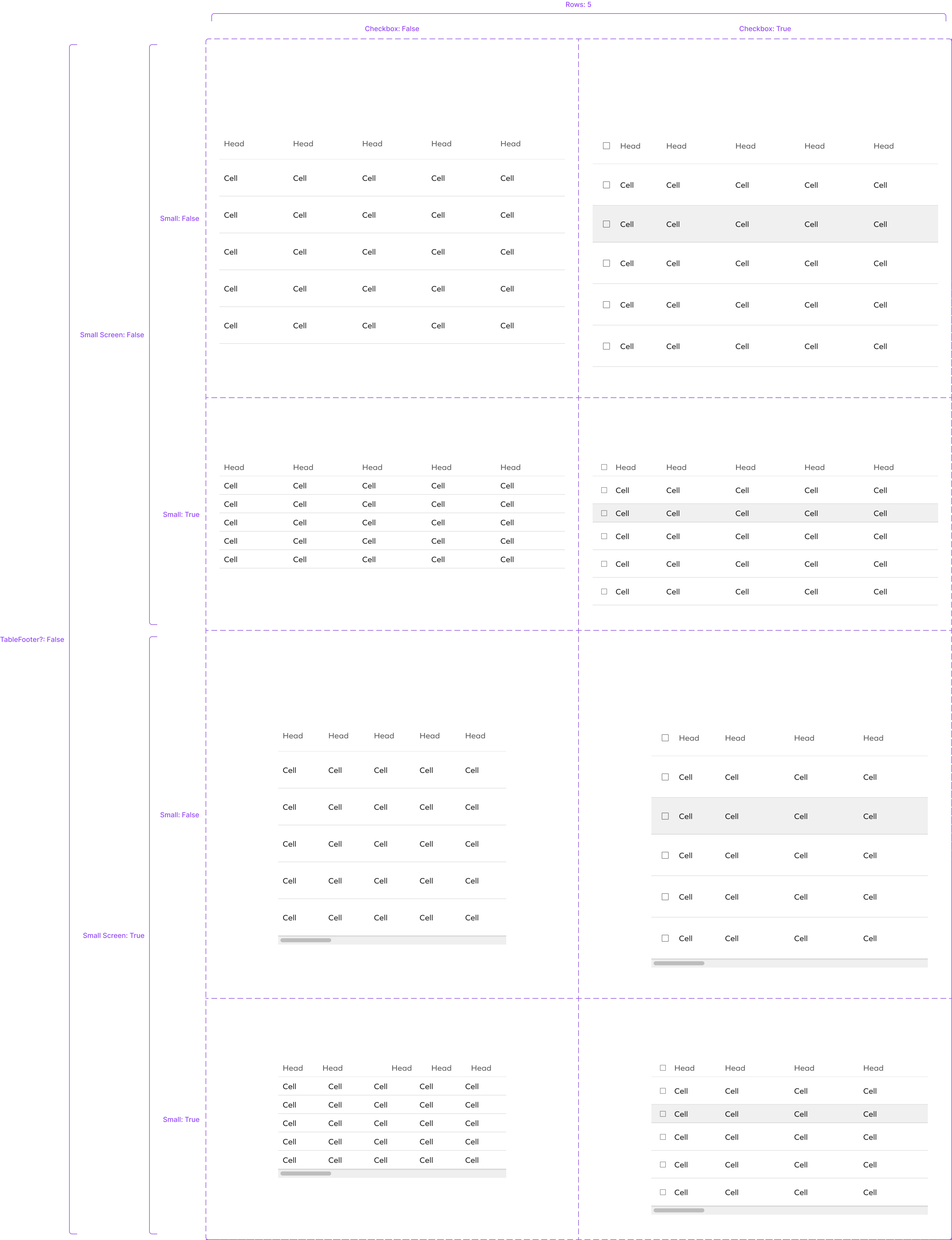
- Built a design system for consistent high-density workflow patterns across the platform
- Leveraged Material-UI components aligned with the engineering stack for faster delivery
- Designed reusable, scalable patterns for dynamic and attribute-rich data
- Maintained clarity and accessibility across dense screens throughout the full UX lifecycle
Impact
The redesign made large-scale product comparison faster and more manageable for analysts, reducing cognitive load and improving decision speed.
It also reinforced a key insight: in high-density workflows, structure matters more than visual polish — and while AI can accelerate decisions, trust depends on keeping users in control.
- Expanded from single to multi-product views in a single session
- Faster comparison through structured attribute alignment
- Faster decisions via bulk actions and status visibility
- Reduced cognitive load by aligning with analyst workflows
- Supported adoption of native matching workflows across analyst teams